How to Fix an AI-Generated Resume (Before You Apply Again)
AI can draft a resume fast — but the first version often sounds generic, breaks ATS parsing, or lists wins you cannot explain in an interview. Use the 3-Layer Fix to clean content, add proof, and check format before you apply.
Why Your AI Resume Is Not Getting Callbacks
Using ChatGPT, Claude, or a resume builder to get a first draft is normal now. The problem is not that you used AI. The problem is submitting the first draft unchanged.
Recruiters are not running a secret "AI detector" on every PDF. They reject resumes that read generic: the same buzzwords, the same bullet rhythm, the same polished phrases that could describe anyone. When fifty applications sound identical, none of them stand out.
There is a second failure mode people miss: you get the interview, then realize you cannot explain a bullet you did not write. That is worse than a silent rejection.
Fix an AI-generated resume by auditing it in three layers — content, proof, and format — before you hit apply. That is the whole playbook. We call it the 3-Layer Fix.
Layer 1: Remove the AI Tells
Start with a read-through for patterns AI overuses. You are not trying to hide that you used a tool. You are trying to make the page sound like a person who did the work.
- Swap fancy verbs for plain ones. If every bullet starts with spearheaded, orchestrated, leveraged, or pioneered, rewrite most of them as led, built, ran, fixed, or shipped.
- Vary bullet length. AI loves uniform lines — all roughly the same word count. Cut two bullets short. Let one run a little longer with real context.
- Replace abstract nouns with concrete ones. Words like solutions, initiatives, strategies, and synergies hide what you actually touched. Name the product, team, tool, or deadline.
- Trim em dashes and filler polish. A few em dashes are fine. Five on the first page is a tell. Use periods or commas where you normally would.
- Delete summary fluff. If your professional summary reads like "results-driven professional seeking to leverage skills in a dynamic environment," rewrite it in two sentences that name your role, specialty, and one proof point.
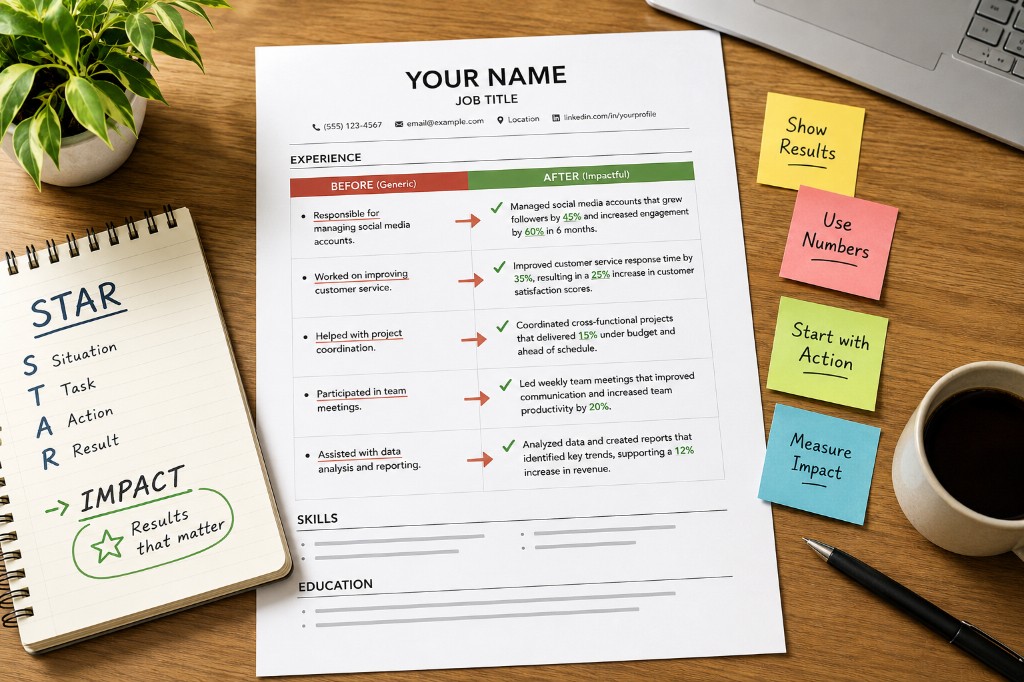
Quick swap examples: "Spearheaded cross-functional initiatives to drive synergy" becomes "Led weekly syncs with sales and support to cut refund processing from five days to two." Same idea — one sounds like a template, one sounds like Tuesday.
Layer 2: Replace Fluff With Proof You Can Defend
AI is confident about numbers it invented. You are responsible for every digit on the page. If you cannot walk through a bullet in a 30-second conversation, it does not belong on the resume.
- Delete any metric you cannot explain. Ranges and scope are fine when exact percentages are not — "managed 30+ vendor accounts" beats a fake "increased efficiency by 47%."
- Add names: tools, teams, project titles, customer types. Specificity is what separates your resume from resume soup.
- Paste the job description beside your draft. Ask what skills or responsibilities from the posting are missing or buried. Add them where they are true — do not keyword-stuff skills you have never used.
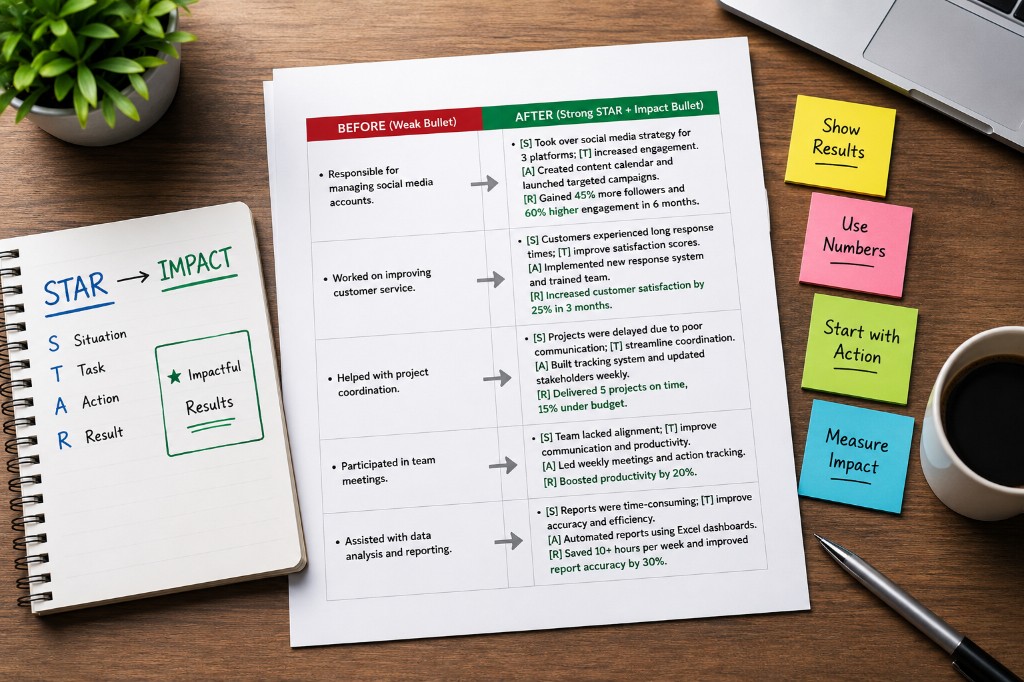
- Rewrite bullets using outcome + proof + method. If your bullets still read like job duties, use the guide in Stop Listing Job Duties — STAR for your notes, XYZ on the page.
Read each bullet out loud. If it does not sound like something you would say to a colleague over coffee, rewrite until it does. That single test catches most AI residue.
Layer 3: Fix ATS Formatting
Applicant tracking systems do not care who typed your resume. They care whether they can read it. AI templates often add columns, icons, skill charts, or contact info in headers that parsers skip entirely.
- Use a single-column layout with standard headings: Summary, Experience, Skills, Education — not creative labels parsers do not recognize.
- Keep contact details in the body of the document, not in a page header or footer.
- Remove logos, photos, skill bars, and text boxes. Plain bullets and plain text.
- Save as a text-based .docx or a PDF where you can select all text cleanly.
The 10-second ATS test: open your finished PDF, select all, copy, and paste into a plain text editor. If sections appear out of order, bullets turn into boxes, or your name vanishes, fix the layout before you apply. The parser will hit the same wall.
If you are also fighting length and clutter, pair this pass with One Page Is Enough — format and content edits work best together.
Tailor Before You Send (Every Role)
The fastest way to look like every other AI applicant is to send the same file to twenty different job postings. AI drafts are a starting point, not a final product.
For each role, adjust the top third of page one: mirror language from that job description in your summary and your two strongest bullets, reorder skills so the posting's priorities show up first, and cut anything that does not support this specific title.
You do not need a full rewrite every time. You do need a targeted pass so the recruiter can see fit in the first scan — usually under ten seconds.
The 10-Minute Pre-Submit Checklist
Run this before every application when your resume started as an AI draft:
- No bullet uses a verb you would never say out loud?
- Bullet lengths vary — not copy-paste identical structure?
- Every number on the page is something you can explain in an interview?
- Summary names your role and at least one real proof point — not buzzwords?
- Top skills from this job description appear naturally in your bullets or skills section?
- Copy-paste test passed — text order is clean in plain text?
- File name is sensible (FirstName-LastName-Resume.pdf)?
The Bottom Line
AI is a useful co-pilot for structure and speed. It is a bad autopilot for submission. Fix an AI-generated resume by stripping the tells, anchoring every line in proof you own, and confirming the file parses cleanly — then tailor it to the role in front of you.
Do that once and your resume stops blending into the pile. Do it every time you apply and you keep the speed of AI without the generic aftertaste.